How to get higher quality photos for social media? 1080P vs 2K
- kimkimhamre
- Jan 1, 2025
- 2 min read
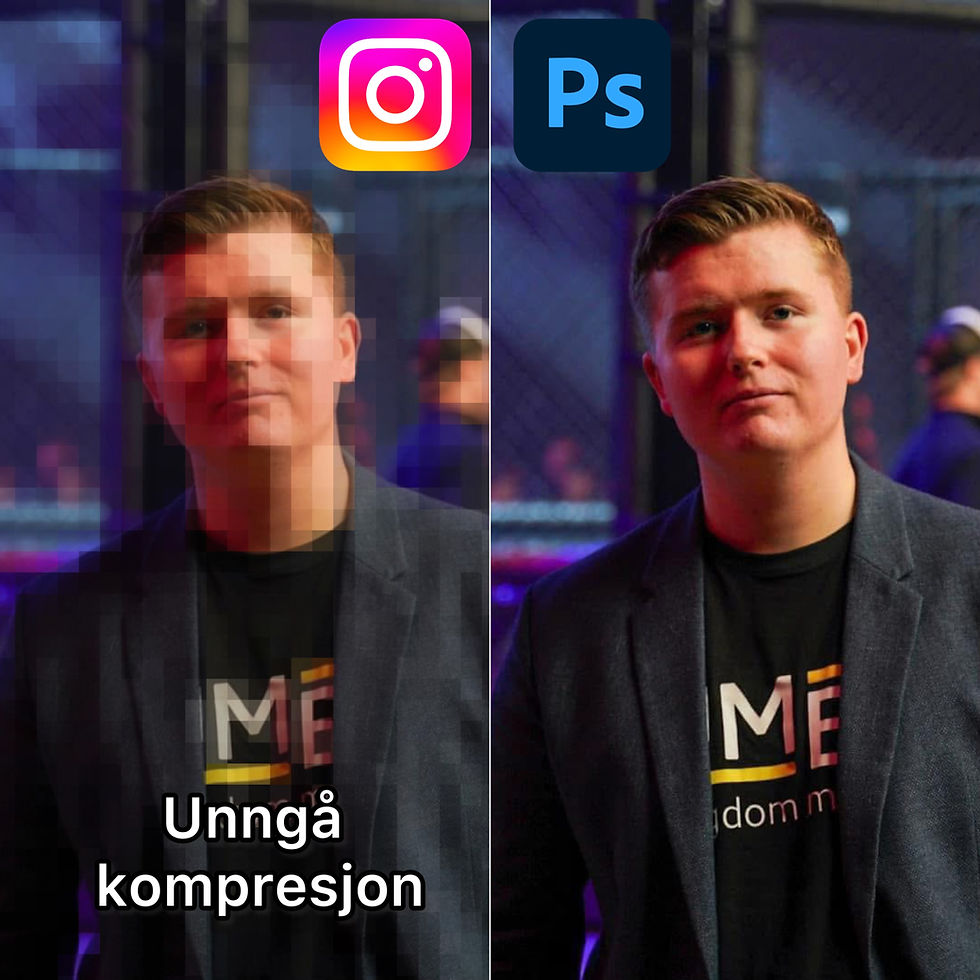
Go from 1080P to 2k
Many people have often felt that you take a photo that is good and high quality but that it doesn't look as sharp or as good when you post it on social media. This is because platforms like Facebook, Instagram, TikTok, etc. compress it.
You can notice this by the fact that when you zoom in on the image, it appears quite pixelated, while when you post it in 2K, details in the image will appear much less so and much more sharp and detailed than you are usually used to.
How do I fix this?
You can either send us an inquiry at Hamre Frilans&Tjenester about this or you can try to fix it yourself through our instructions below, but you should then have Adobe Photoshop downloaded to your computer to be able to do so. This is a program that can take some time to learn and it costs money to subscribe to it.
Either Instagram compresses your image poorly or you can do it yourself even better and retain more of the details.
Open the image you want to pre-compress in Adobe Photoshop
Click on ''file'' in the top corner
Go to export, then you get more choices
Select ''Save for web''
Select ''JPEG'' and ''Maximum''
Make sure ''Convert to sRGB'' is on
On Image size: Select ''Beehive sharper'' and select on ''W'' 2170
Press ''Save'' and then you can export the image to the folder you want and post it to Instagram with 2K quality.
Comments